CUSTOM PCs · WORKSTATIONS · LOCAL AI — BENGALURU
Machines built around the work you actually do.
We spec, build and stress-test every PC by hand — from 4K editing rigs and CAD workstations to on-prem AI servers that replace your monthly cloud bill.
What will you run on it?
Tell us your software. We pick every part for how that software actually uses the hardware.
LOCAL AI · ON-PREM
Run AI in your office, not on someone else’s meter.
Open models now handle coding help, document search, transcription and chat well on a single machine. We build it; you run it.
Private by default
Client files, code and financials never leave your premises. No third-party data terms to read.
Pay once
A one-time hardware cost instead of per-seat subscriptions and per-token cloud GPU bills that grow with use.
No limits, no outages
No rate limits or queueing. Works on your LAN even when the internet does not.
What runs on what
Pick a tier to see how fast it pays for itself.
Model sizes assume compressed (4-bit quantised) models with room for about an 8k-token context; real speeds vary with the model and settings. Prices are indicative and subject to change with market conditions. Final quote depends on configuration. Cloud comparison uses published on-demand rates from Indian GPU cloud providers, excluding GST (Nov 2026).
Will local AI pay for itself?
Picking a tier fills these in. Change any number to match your situation.
Cloud equivalent: a 16GB T4 GPU on an Indian cloud at about ₹30/hr, running 24×7 ≈ ₹21,900/month. Power and upkeep ≈ ₹2,500/month (estimate).
We will tell you that straight — and help you pick the right subscription instead.
OUR SOLUTIONS
Every machine is a brief we solved. Find the one closest to yours.
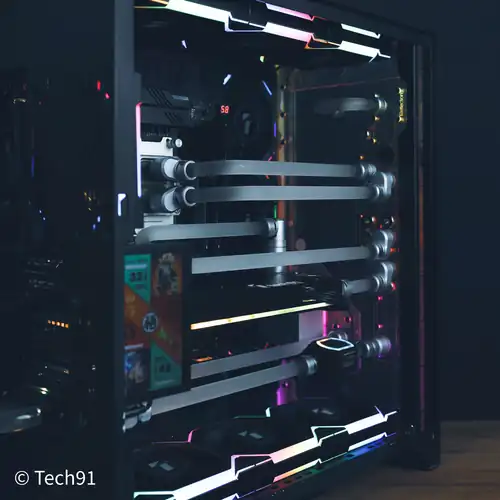
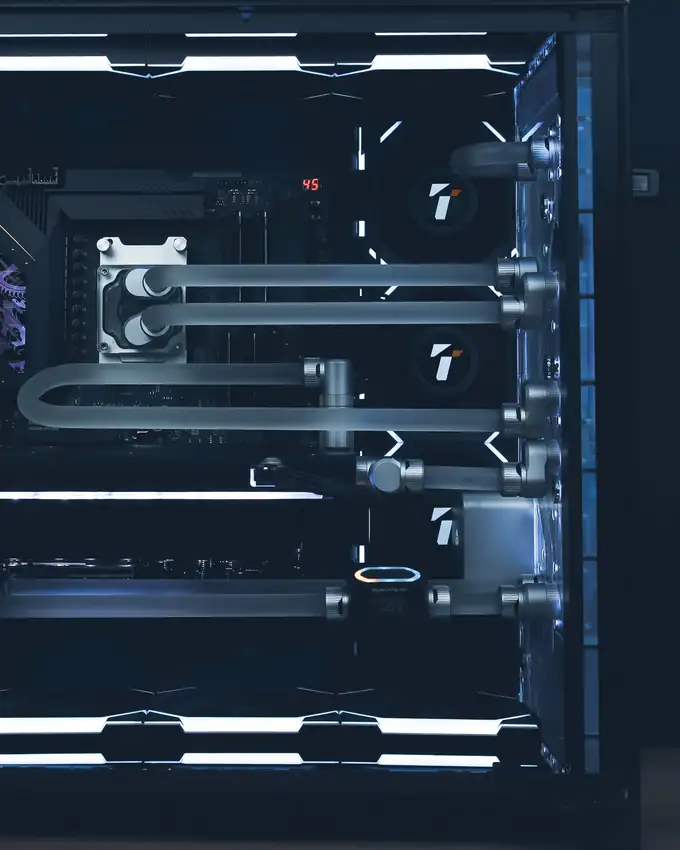
Hardline custom water loop
- CPU
- Ryzen 9 9950X3D
- GPU
- RTX 5090 (water-cooled)
- Memory
- 64GB DDR5 6000 CL30
- Storage
- PCIe Gen 5 NVMe SSD
- Cooling
- Full custom hardline, CPU + GPU
Best for: No-compromise 4K gaming, heavy rendering, and running large local AI models on a 32GB GPU.
Build me something like this →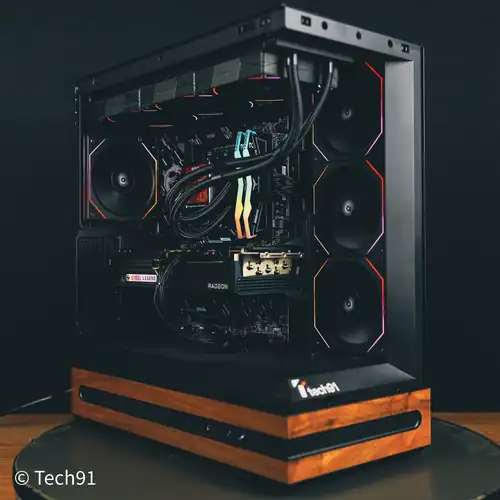
Walnut-trim 9800X3D gaming build
- CPU
- Ryzen 7 9800X3D
- GPU
- ASRock RX 9070 XT Steel Legend
- Board
- MSI X870E Gaming Plus WiFi
- Memory
- 32GB DDR5 6000
- Storage
- MSI 2TB Gen4 NVMe
- Cooling
- Thermalright Frozen Vision 360 LCD
- Case
- Stellar Prime
- PSU
- 850W 80+ Gold
Best for: High-refresh 1440p and 4K gaming on the fastest gaming CPU, with a walnut-trimmed case that looks the part.
Build me something like this →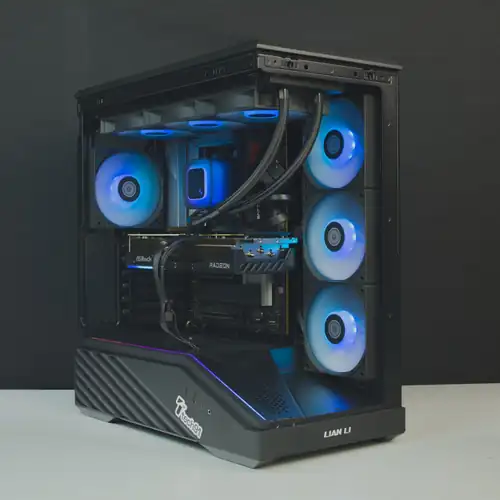
Lian Li AM5 Radeon build
- CPU
- Ryzen 7 9700X
- GPU
- Radeon RX 9070 XT 16GB
- Board
- Sapphire Nitro+ B850A WiFi
- Memory
- 32GB DDR5 6000
- Storage
- 1TB Gen4 NVMe
- Cooling
- DeepCool 360 AIO
Best for: Smooth 1440p gaming and everyday creative work on a clean, upgradeable AM5 platform.
Build me something like this →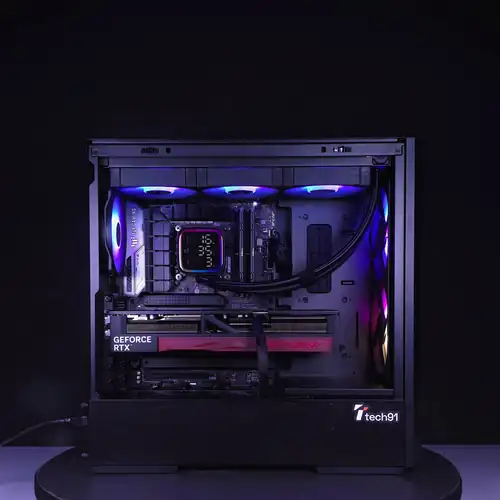
TUF Z790 RTX workstation
- CPU
- Core i7-14700K
- GPU
- RTX 5070 Ti 16GB
- Board
- ASUS TUF Z790
- Memory
- 32GB G.Skill DDR5 6000
- Storage
- 1TB Gen4 NVMe
- Cooling
- DeepCool 360 AIO
Best for: Editing, 3D and CAD work with heavy multitasking, plus CUDA acceleration and 16GB of VRAM.
Build me something like this →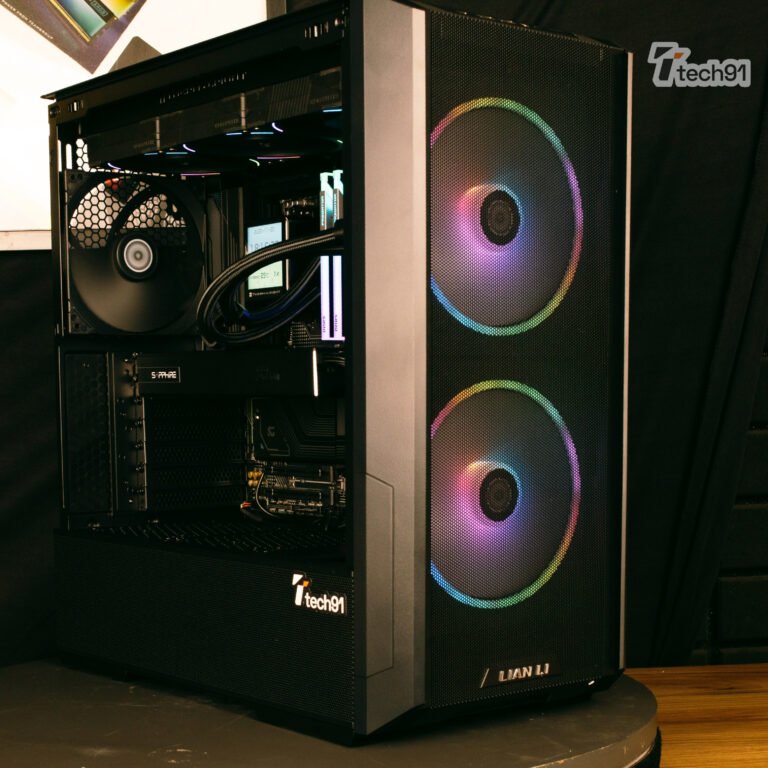
On-prem AI workstation
- CPU
- AMD Ryzen 9 9950X
- GPU
- AMD Radeon AI PRO 32GB GDDR6
- Board
- Gigabyte B850
- RAM
- 64GB DDR5
- Cooling
- 360mm liquid cooler
- PSU
- 1000W 80+ Gold ATX 3.1
Best for: Teams running 30B-class open models, RAG over company documents and private coding assistants — 32GB of VRAM, no data leaves the office.
Build me something like this →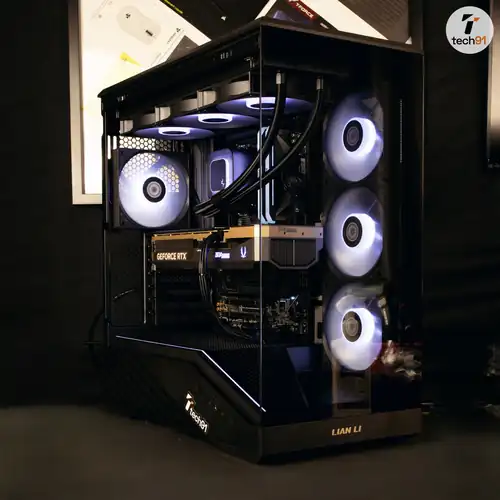
Local AI build
- CPU
- AMD Ryzen 9 9900X
- GPU
- NVIDIA RTX 5080
- RAM
- 32GB DDR5 6000
- Cooling
- 360mm liquid cooler
- PSU
- 1000W 80+ Gold ATX 3.1
Best for: Developers and small teams running 7–14B open models, image generation and local copilots on CUDA.
Build me something like this →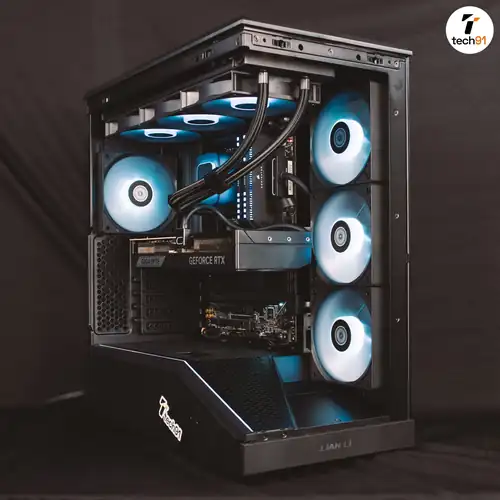
Creator workstation
- CPU
- Intel Core Ultra 7 270K Plus
- GPU
- RTX 5070 Ti 16GB
- Board
- Gigabyte Z890
- RAM
- 64GB DDR5 5600
Best for: 4K video editing, Premiere and DaVinci timelines, After Effects and 3D work that needs lots of memory.
Build me something like this →RECENT BUILDS
Fresh off the bench, every week.
Every machine we ship is posted on Instagram — cable work, thermals, benchmarks and the brief behind it.
How we build
- 01ConsultYou tell us the software, workload and budget. We ask what slows you down today.
- 02Spec with reasonsA part list where every component has a one-line reason. No upsells you cannot justify.
- 03Build + stress test12+ hours of stress testing on CPU, GPU and memory. Thermals and clocks logged and shared with you.
- 04Deliver + supportOS and drivers set up, and every machine fully tested before delivery. Support after handover.
From people we’ve built for
All Google reviews →Tell us what you run.
We’ll tell you what to build.
Send us your software list and the build you have in mind, and we’ll help you with the rest.
227 Mottappanapalya, behind SSB International School, Indiranagar 3rd Stage, Bengaluru 560038
Mon–Fri 11am–6pm · Sat 12–3pm · Sun closed